
NOTE: When a Relation is set as an Additional Records Submitter, they will be able to submit information through the Student Records Portal (SRP) for that Student. This is to allow legal guardians (other than the Primary Guardian) the ability to submit information through the SRP. A Relation is considered a legal guardian of the Student when the Parent/Legal Guardian or Has Custody is checked and the Access To Records is checked in the Relationships Grid.
To view documentation on How to Add a Relationship for a Student, click here.
To view documentation on How to Edit a Relationship, click here.
Click the Student Maintenance Quick Access Button on the Navigation Bar.
The Student Maintenance Screen will appear.
Select Item: Begin typing the Student's name or ID. The system will search and a list will display in the Drop Down List Box. Select the student whose record you want to access.
The Student Record will display.
Click the Demographics Tab.
Click the Relations Tab.
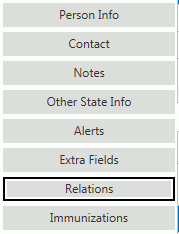
Click the Records Submitter Tab.

Check the 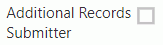 Check Box.
Click  .
.
NOTE: An Additional Records Submitter that is not the Primary Guardian cannot update the Primary Guardian information through the SRP. If the Primary Guardian needs to update their contact information, they can use the Update Information option after the enrollment information has been processed by the Additional Records Submitter.
NOTE: If an Additional Records Submitter tries to submit an Enrollment or Update for a Student and the Primary Guardian does not have a default address, phone number and email set, the application will give them an error and they cannot submit their Enrollment/Update. The Additional Records Submitter must delete the submission and contact the Enrollment Contact. Then, you must set the Primary Guardian's default address/phone/email and then the Additional Records Submitter must redo the Enrollment/Update for the Student.
If there are custody changes for a student that would require the Primary Guardian to be changed, those must be completed through the school office.
Whenever a Guardian is using the Copy Relations from Student List option in SRP, the list is limited to the Students who have the same Primary Guardian as the Student being edited.